
Frontend extension
Recent versions of Jupytext (>=1.16.0) ships frontend extension that enables users
to create text notebooks and pair notebooks from main menu of JupyterLab 4 and
Notebook 7. In addition, the frontend extension adds selected Jupytext text
notebook formats to launcher in the Jupytext section so that users can launch text
notebooks as they launch a regular notebook from JupyterLab launcher.
Launcher icons
Section titled “Launcher icons”After installing Jupytext extension, users will have a new category in the launcher called Jupytext as shown below:
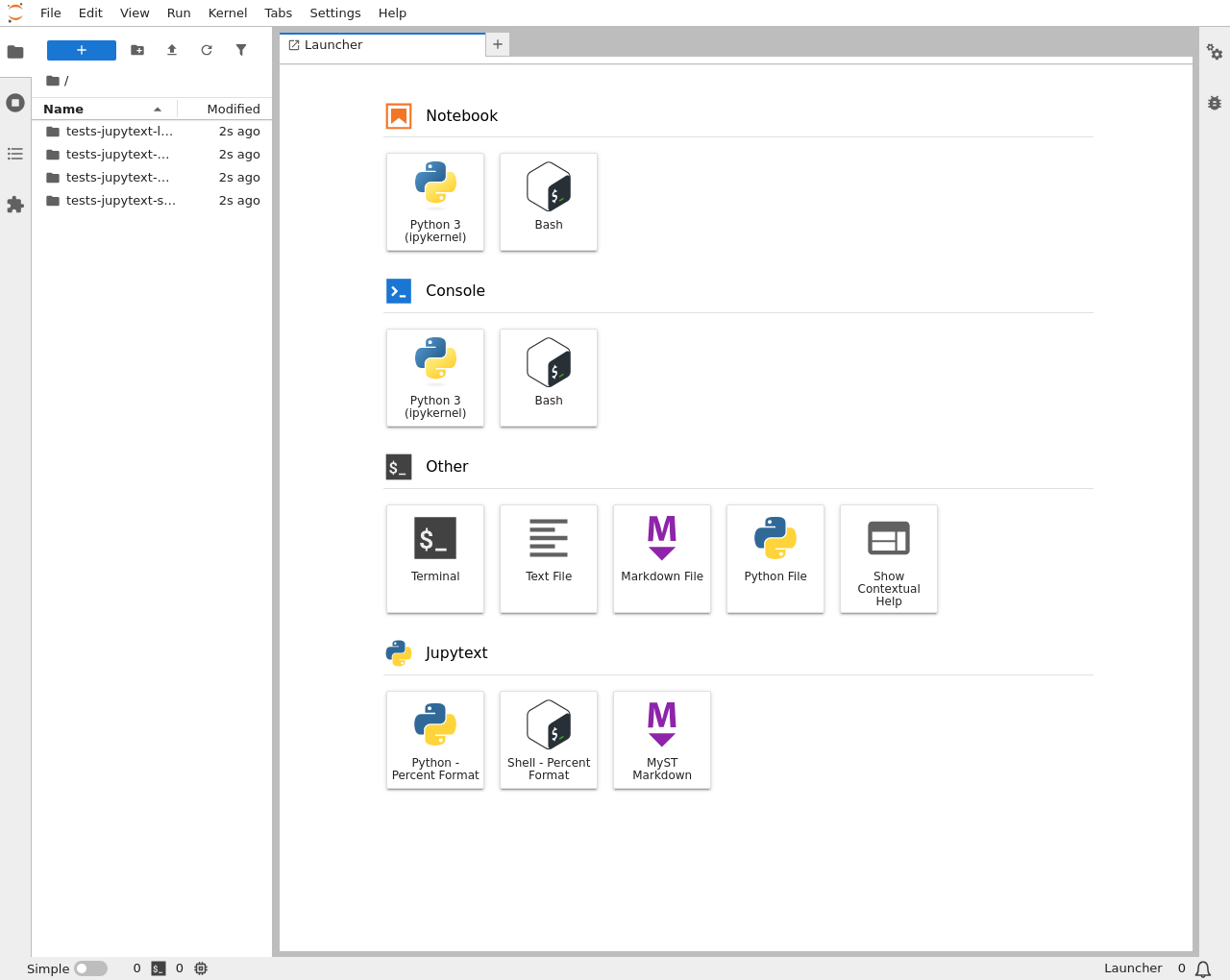
Users can remove and/or add new formats to the Jupytext section via Settings>Jupytext.
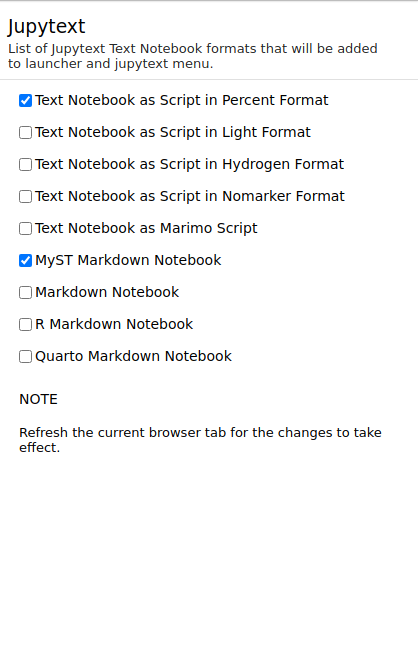
By (un)selecting different formats, users can filter the items in launcher and main menu. Note that users need to refresh the current browser tab when they modify the settings for them to take effect.
Main menu
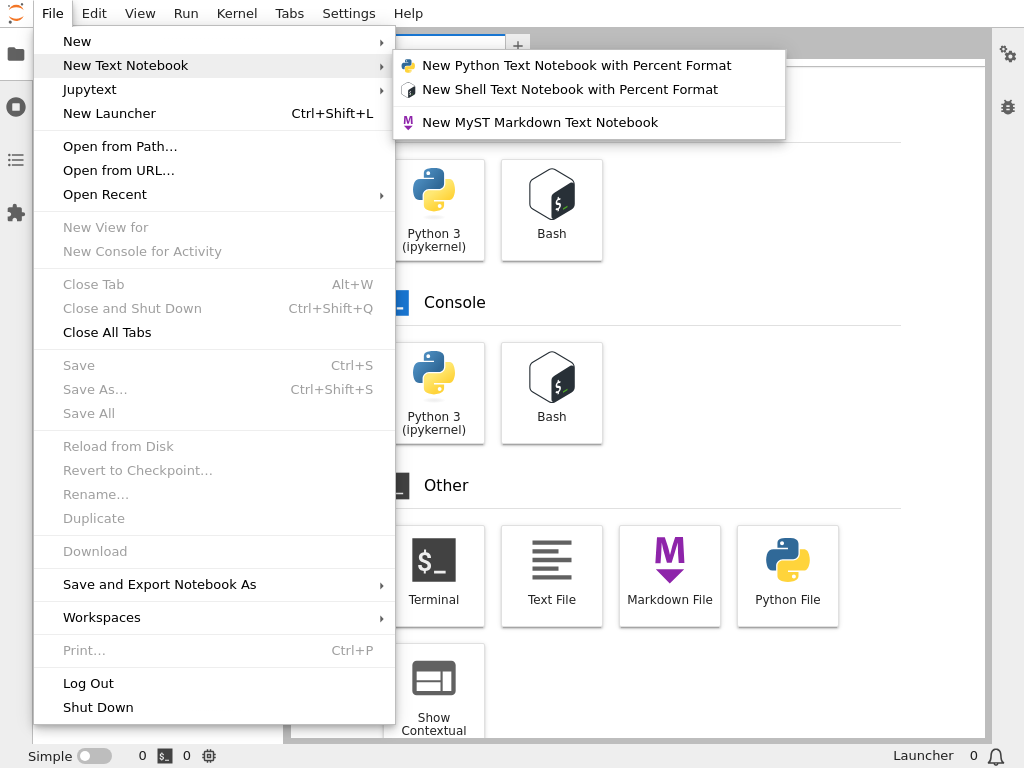
Section titled “Main menu”It is also possible to create new text notebooks and/or pair existing notebooks from main menu and dedicated Jupytext main menu, respectively.
Following screenshot shows the New Text Notebook submenu available in File menu.
Similarly, to pair existing notebooks, users can go to Jupytext menu on main menu as shown below:
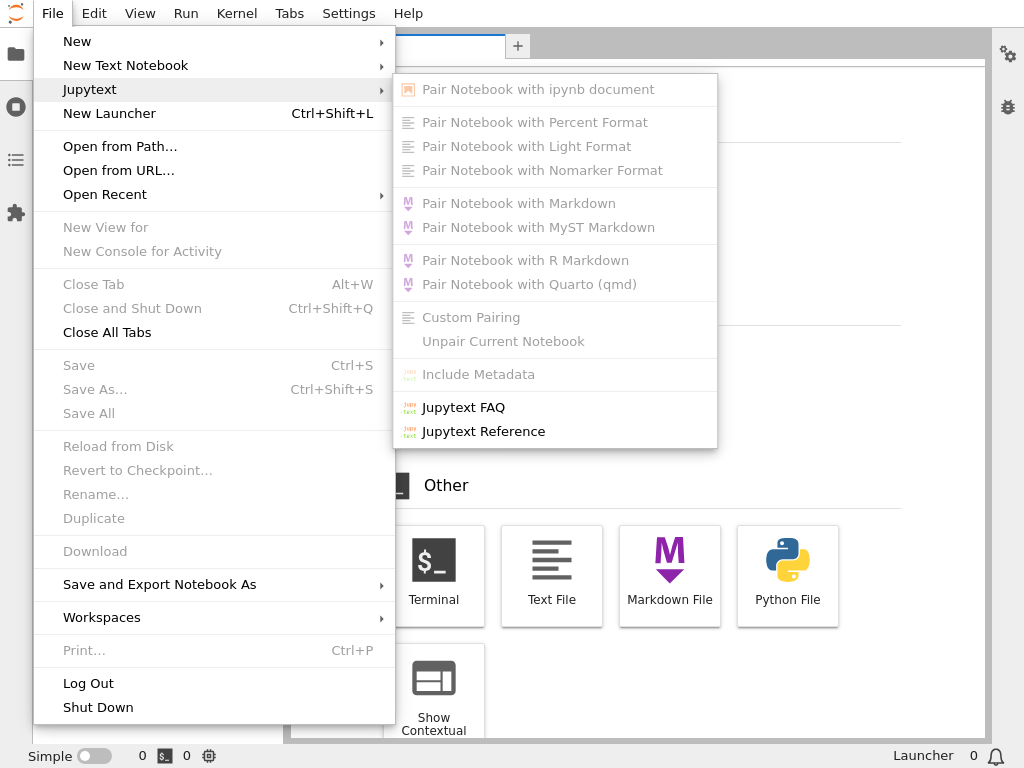
All the options are greyed out in the above screenshot as there is no notebook widget currently active. Once the user opens a new notebook, the options will become available.